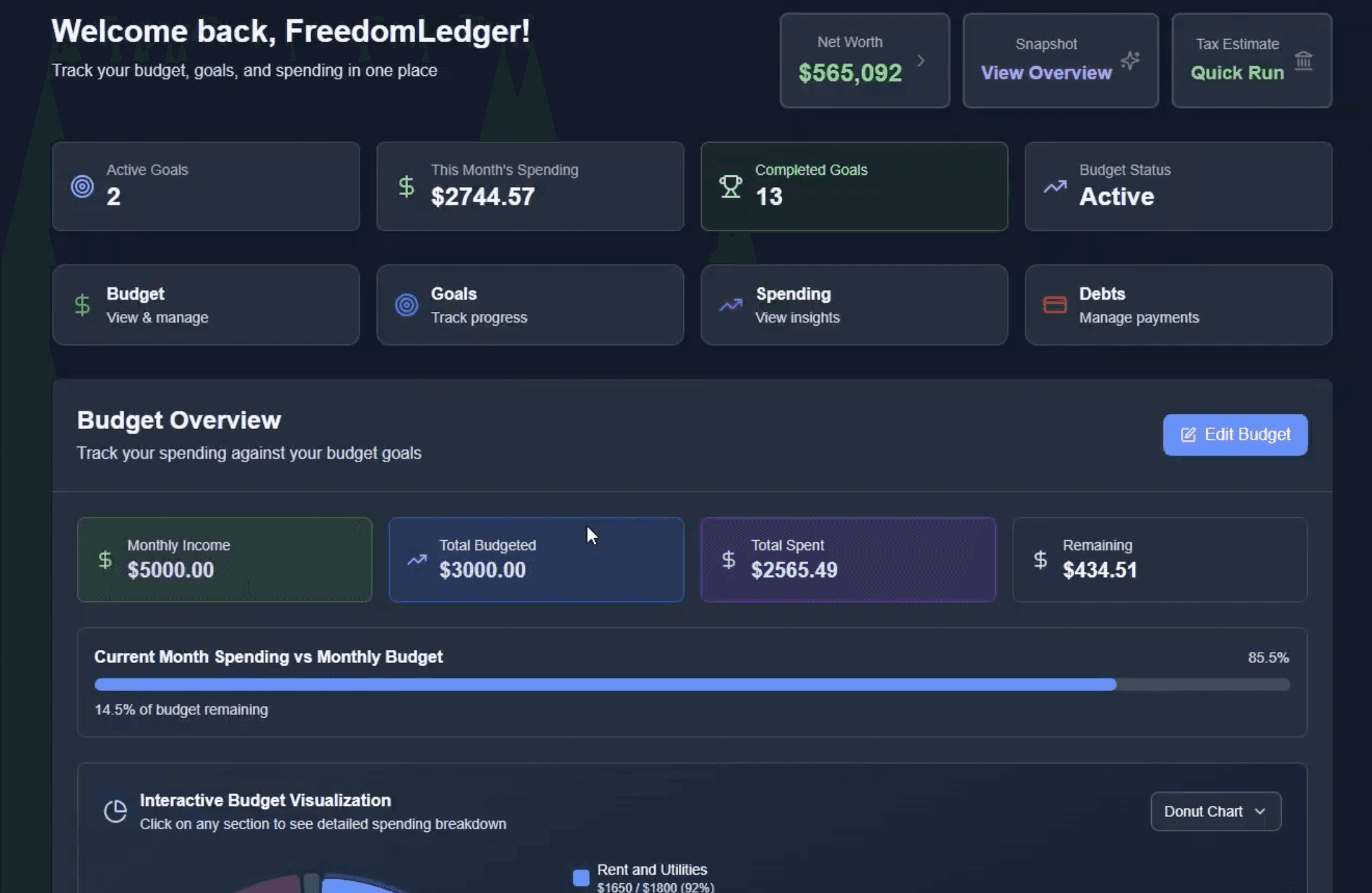
How to use FreedomLedger
Follow these simple steps to understand the flow from connecting your bank accounts to tracking goals. You don't need an account to read this overview—come back anytime for a refresher.
- Step 1
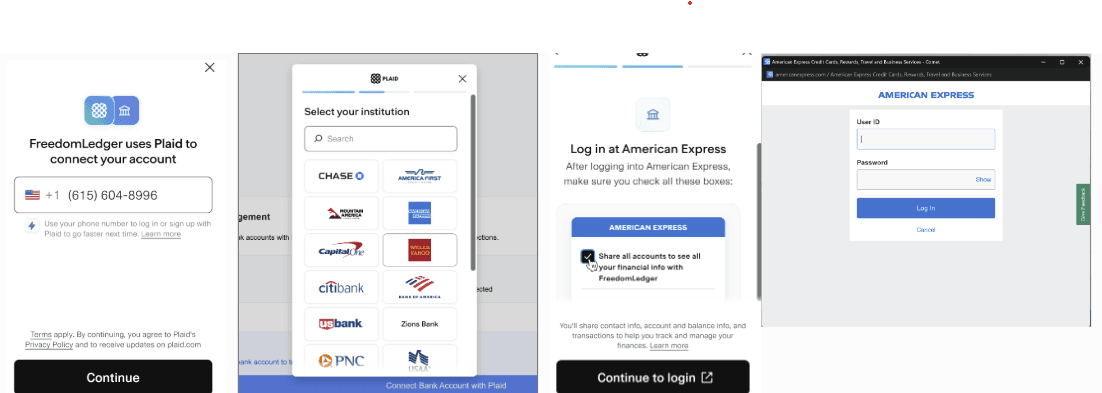
Link your accounts with Plaid
Securely connect your financial accounts to automatically sync transactions and balances. Plaid uses bank-level encryption to link over 12,000 institutions—we never see or store your banking passwords.
How to do it:
- Click 'Link Account' on your dashboard
- Search for your bank or financial institution
- Enter your login credentials in Plaid's secure window
- Select which accounts to connect (checking, savings, credit cards, investments)
- Repeat for additional banks to see your complete financial picture
Key Features:
- 256-bit encryption protects your credentials
- AI automatically categorizes transactions as they come in
- Balances update in real-time
- Support for checking, savings, credit cards, investments, and loans
- Step 2
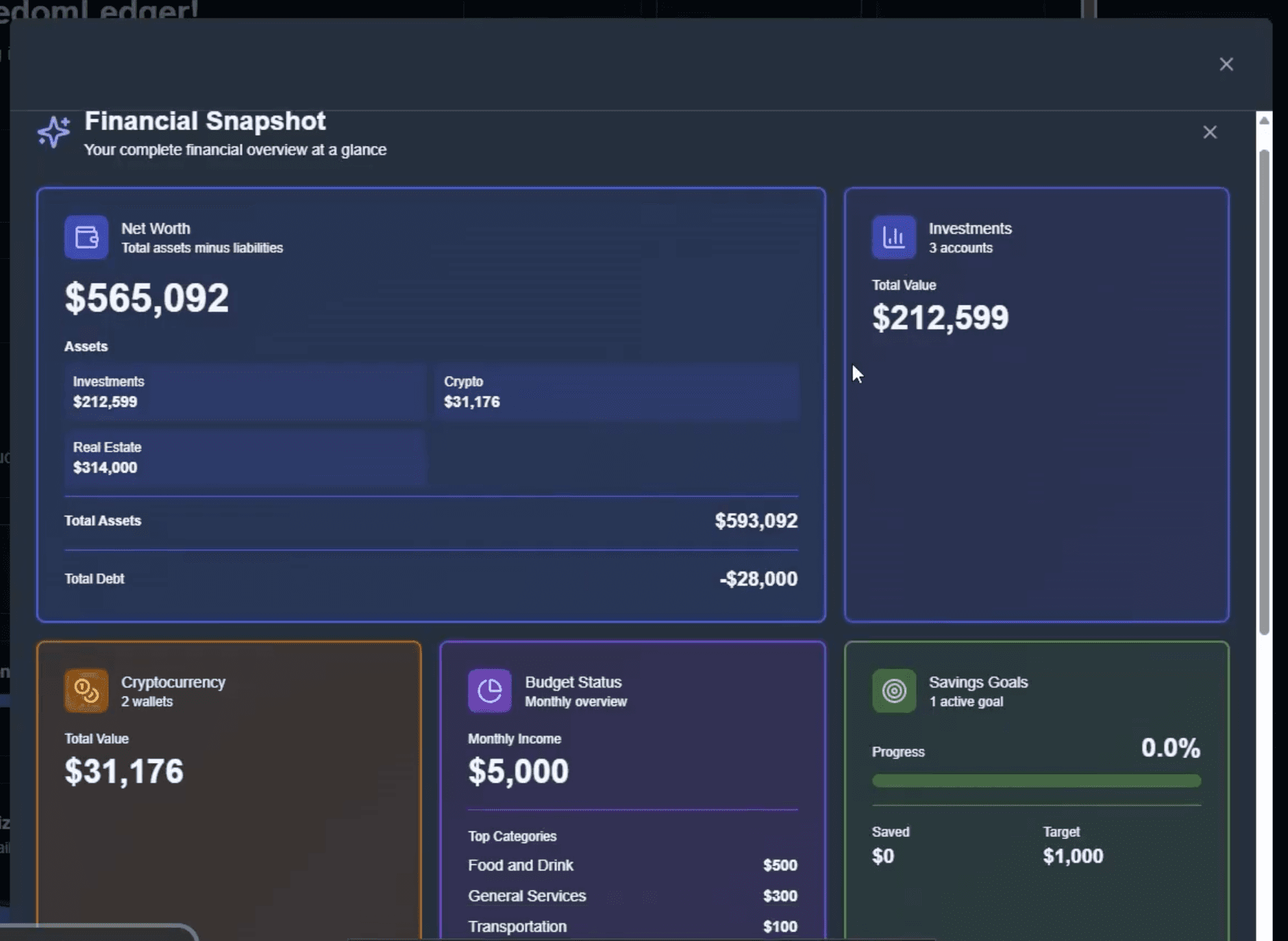
Build your net worth snapshot
Get a complete picture of your financial health by adding all your assets and liabilities. Your net worth (assets minus liabilities) updates automatically as your accounts sync.
How to do it:
- Open the 'Net Worth Breakdown' modal from your dashboard
- Review synced cash, investment, and retirement accounts
- Click 'Add Property' to input real estate—get automatic valuations via Rencast
- Click 'Add Vehicle' and enter VIN for instant value lookup
- Add custom assets like jewelry, collectibles, or crypto wallets
- Debt obligations from linked accounts appear automatically
Key Features:
- Net worth = Total assets - Total liabilities
- Real estate gets automatic valuation estimates
- Vehicle values include depreciation tracking
- Track crypto wallets, collectibles, and other assets
- Step 3
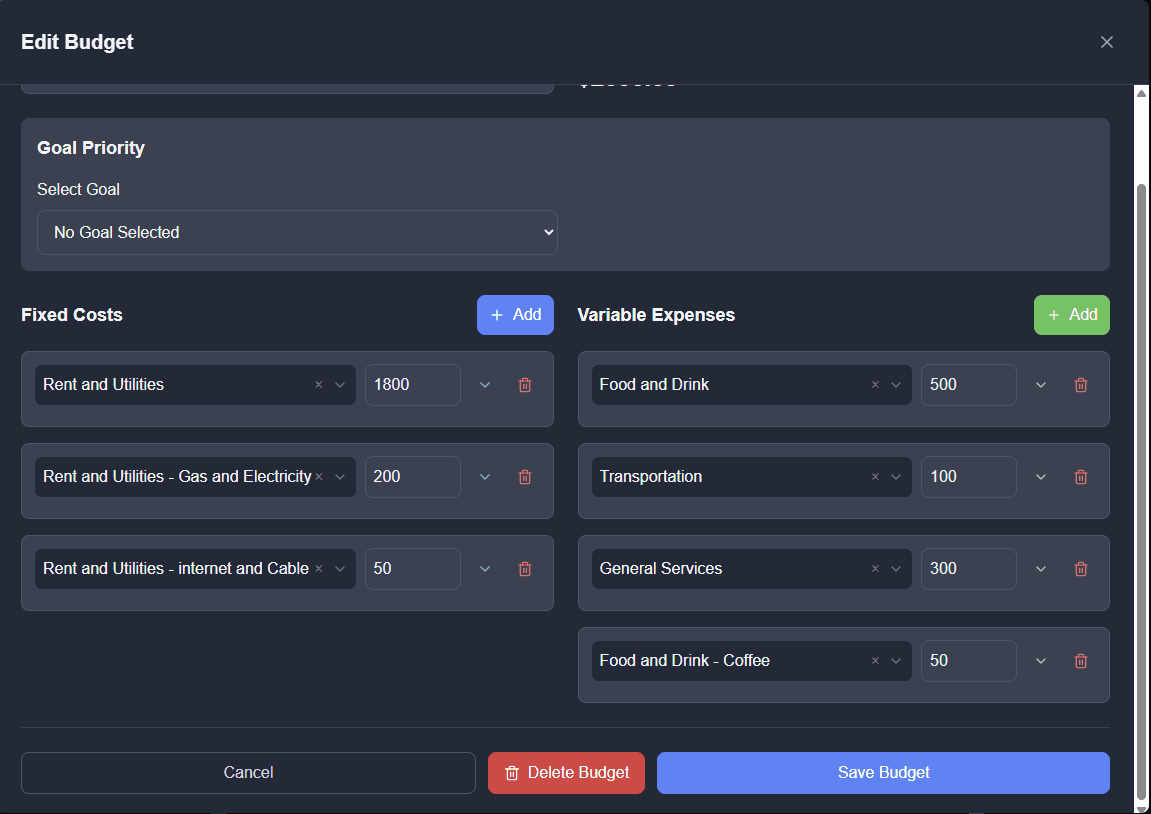
Create a smart budget
Set spending limits for what matters to you. Transactions are automatically categorized and tracked against your budget in real-time with color-coded alerts.
How to do it:
- Click 'Create Budget' from your dashboard
- Select categories you want to track (Food, Transportation, Entertainment, etc.)
- Set a monthly dollar limit for each category
- Choose your preferred visualization (donut, radar, bullet, or bar chart)
- Save and watch as transactions automatically count against your limits
- Adjust limits anytime based on spending patterns
Key Features:
- 15+ categories: Food & Drink, Transportation, Shopping, Entertainment, Bills, Healthcare, Travel, and more
- Color-coded progress bars show at-a-glance status
- AI categorizes transactions automatically
- Create group budgets to track household spending together
- Step 4
Set financial goals
Track progress toward savings targets, debt payoff, or investment milestones. FreedomLedger automatically calculates if you're on pace and how much you need to contribute monthly.
How to do it:
- Click 'Add Goal' from your dashboard
- Choose goal type: Savings (emergency fund, vacation), Debt Repayment (credit cards, loans), or Investment (retirement, portfolio growth)
- Enter target amount and deadline
- For debt goals, enter current balance to see payoff schedule
- Track progress automatically—contributions and payments sync from linked accounts
- View projected completion date and monthly contribution needed to stay on track
Key Features:
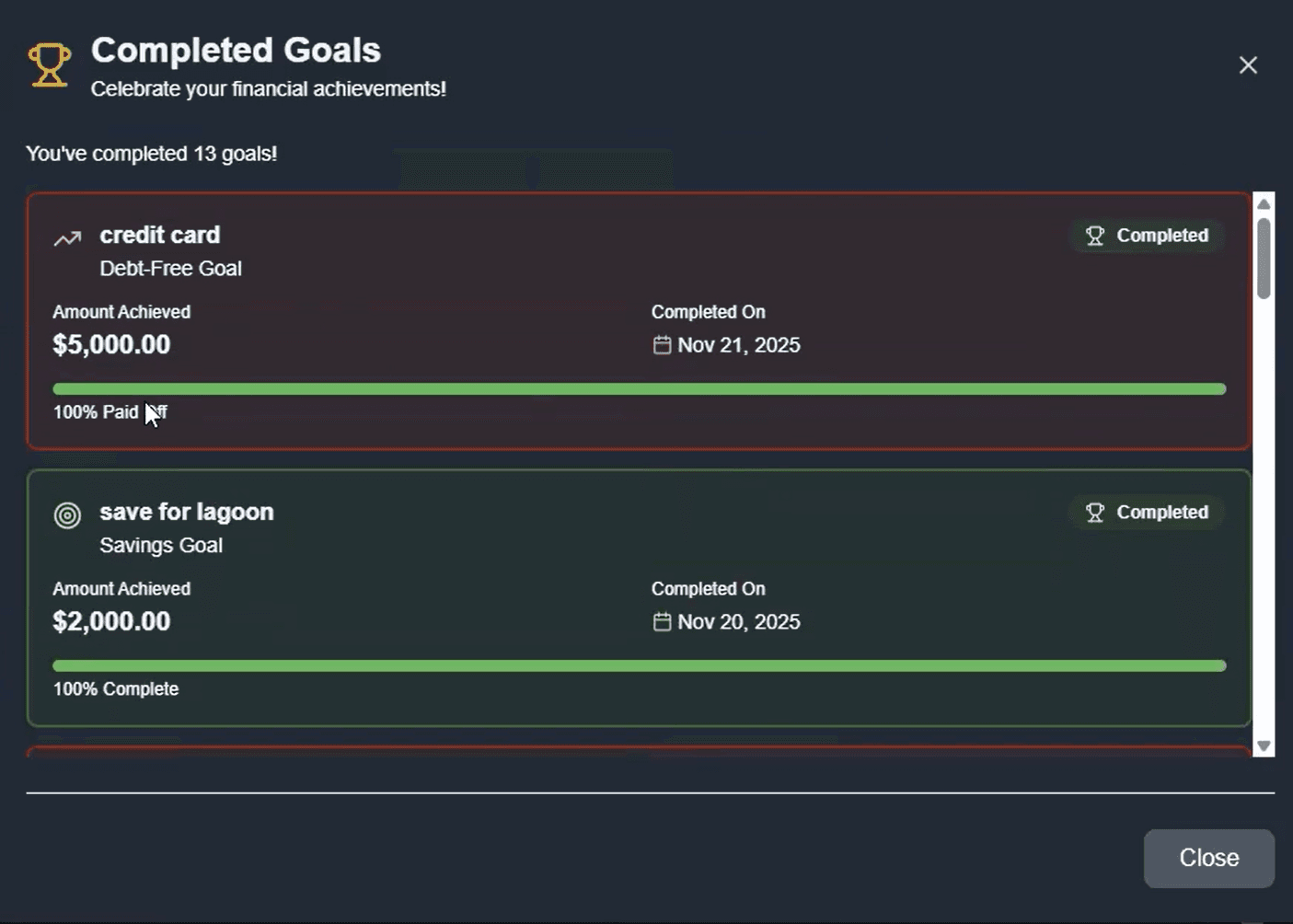
- Visual progress tracking shows percentage complete
- Monthly contribution calculator keeps you on pace
- Milestone celebrations at 25%, 50%, 75%, and 100%
- Share goals with advisors or accountability partners
- Step 5
Monitor and optimize
Your dashboard is command center. Check spending trends, chat with your AI assistant, and make adjustments to stay on track toward financial freedom.
How to do it:
- Review your dashboard weekly to spot spending trends
- Click any budget category to see detailed transactions
- Use the AI chat to ask: 'How much did I spend on dining out this month?'
- Recategorize transactions by clicking them in your recent activity feed
- Adjust budget limits if you consistently go over or under
- Generate a Personal Financial Statement PDF for loan applications (in Net Worth modal)
- Export transaction data to CSV for tax prep or advisor review
Key Features:
- AI assistant analyzes spending patterns and answers financial questions
- 30-day spending trends show where your money goes
- Net worth chart tracks your financial trajectory over time
- One-click Personal Financial Statement generation for loans or documentation